Business Data Backup That Survives Ransomware
Ransomware is malicious software that makes your files unreadable and demands a ransom. It no longer just locks them: the attacker often tries to destroy your backups to stop you from recovering your data, and may also copy that data to threaten to publish it. For a small business or an SME, the right question about business data backup is therefore not “do we have a backup?”, but “will it survive the attack, and how soon will we be able to restart?”.
The latest official figures
In its Panorama de la cybermenace 2025 (2025 cyber threat overview, in French), published on March 11, 2026, ANSSI (French national cybersecurity agency) reports that it was made aware of 128 successful ransomware attacks in 2025, a slight decrease compared with 2024. SMEs, small businesses and mid-sized companies remain the most affected. The agency was also informed of 196 data thefts, whether or not linked to ransomware, compared with 130 in 2024.
The 2025 activity report of Cybermalveillance.gouv.fr (in French), the French national platform that assists victims of cybercrime, published in March 2026, counts more than 504,000 requests for assistance in 2025. For businesses and nonprofits, ransomware is the fourth most common threat (8.1% of requests) and remains “the most formidable and the most damaging for an organization”. For professionals, the attack most often starts from a vulnerability in an access point exposed to the internet (remote desktop, remote access by VPN, NAS, the network storage box), a device at the edge of the network such as the firewall, or virtualization software (several servers on the same machine).
Backups stored on the NAS or on the virtualization server therefore sit on one of these entry points.
Business data backup: the three-copy rule
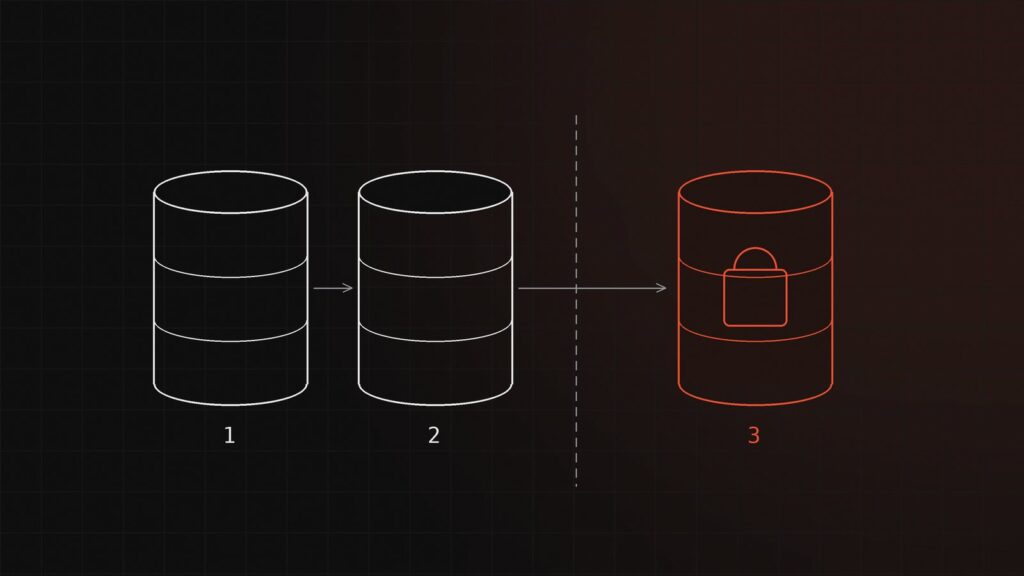
ANSSI’s guide to IT backup (in French), updated in November 2025, recommends the “3-2-1” rule: three copies of the data, meaning the data used day to day and two backups on different media, one of which is offline. It considers this offline copy “essential”, even if it is made less often than the on-site backups; failing that, and under certain conditions, it accepts an off-site copy that remains connected.
Offline means disconnected from any IT system: a disk unplugged after each copy and stored off the premises, or a magnetic tape, which the guide still considers the most effective option for this purpose. Another option is “immutable” storage, where data, once written, can no longer be modified: ANSSI considers it less robust than an offline copy, but accepts a compromise, with regular backups to this storage and a less frequent offline copy. Some vendors also talk about “3-2-1-1-0”: the 3-2-1 rule with one off-site copy, plus one offline or immutable copy and zero errors in restore tests.
Isolating the backup
A backup that can be reached with the same administrator account as the rest of the system will be erased by an attacker who obtains that account. ANSSI’s guide stresses separation and monitoring:
- backup servers kept outside the main directory that manages the company’s accounts;
- backup administration accounts reserved for this purpose and assigned to named individuals;
- backup software and the internal software of devices updated without delay;
- a check of every backup, for example to spot an abnormal volume of data or a setting changed for no reason;
- for encrypted backups (unreadable without a key), keys kept in a vault and themselves backed up offline;
- in the event of an incident, isolating the backup equipment first, which means having planned how to disconnect it quickly.
To pass on to your IT provider: backup servers outside the production Active Directory domain, up-to-date firmware, WORM immutable storage.
Frequency and retention: two management decisions
The amount of data you are willing to lose sets the backup frequency; the downtime you can tolerate sets how the restart is organized. Cybermalveillance.gouv.fr suggests a simple question: what would be the impact of losing a day, a week or a month of data (orders, invoices, messages)? If losing even one day is unacceptable, backup does not meet this need according to ANSSI, which points instead to replication, a near-continuous copy to another system.
As for retention, an attacker may settle in before locking the files, and ANSSI points out that the backups may then contain the attacker’s tools: older backups make it possible to return to a clean state. The guide gives the example of “15 days of daily backups, 1 year of monthly backups, 5 years of annual backups”. This retention period must remain consistent with your record-keeping obligations and with the GDPR; a backup does not replace legal archiving.
Microsoft 365 and Google Workspace: your online data too
ANSSI observes more successful attacks against online services (the cloud), sometimes going as far as encrypting the data. Yet your provider’s internal copies protect against its own outages, not against a deletion or an encryption carried out with your credentials.
Microsoft 365 Backup, billed on a pay-as-you-go basis separately from licenses, covers SharePoint and OneDrive (files) and Exchange Online (email), with retention that can be set to 3 months, 6 months, 1 year or 2 years. According to Microsoft, these backups remain inside Microsoft 365 and their deletion is not blocked, with a 90-day grace period to recover them. With Google Workspace, according to Google, a deleted email stays in the trash for 30 days, then the administrator has 25 more days to restore it; after that, it is permanently lost.
Without a dedicated backup, recovery therefore relies on recycle bins and version histories that are limited in time; a copy outside Microsoft or Google, with separate access, is worth considering.
Testing restores and preparing to restart
A backup that has never been restored remains an assumption. ANSSI calls for backups that are “tested regularly” and for a written restore procedure that is applied regularly. The recovery plan, written before any crisis, sets out:
- the restore order: the services everything depends on (account directory, network), then essential software (business management software, accounting, email), then the rest;
- who decides, who intervenes, and the useful contact details (IT provider, insurer);
- the first steps recommended by Cybermalveillance.gouv.fr: cut off the internet connection, disconnect the affected machines, unplug the backups connected to the network, do not pay the ransom;
- preserving evidence and filing a complaint with the police before any reinstallation, and notifying the CNIL (French data protection authority) within 72 hours if personal data may have been accessed, altered or destroyed (Article 33 of the GDPR);
- rebuilding: reinstalling clean systems, then restoring the data from a backup made before the attack, after checking that it is not infected.
A concrete example
Take, as an illustration, a 20-person SME: a NAS for files, business management software on a virtualized server, Microsoft 365 for email. Management accepts losing at most one day of data and aims to restart within two days.
- Every night: backup of the server and the NAS to a backup server outside the directory, with a dedicated administration account, then an encrypted copy to immutable storage in the European Union.
- Every week: a full copy to one of two alternating external disks, which is then unplugged and stored off the premises.
- For Microsoft 365: a backup solution with separate access.
- Every quarter: restoring a folder and a mailbox. Every year: a full restore of the business management software, timed and compared with the two-day target.
Frequently asked questions
Is an external disk that stays plugged in enough?
No. If it is connected all the time, ransomware can reach it like any other medium. It only serves as an offline copy if it is unplugged between two backups.
How often should a restore be tested?
ANSSI calls for regular tests without setting a frequency. A partial test every quarter and a full exercise every year can serve as a baseline, to be reviewed after any significant change.
Does a backup protect against data theft?
No. It lets you resume operations, not prevent the publication of copied data. Updates, two-factor authentication and well-controlled remote access remain necessary.
411bit offers a cybersecurity audit that checks the isolation of your backups, their retention period and whether your data can actually be restored, Microsoft 365 and Google Workspace included. As part of managed IT services, monitoring with alerts can cover backup jobs, and restore tests can be written into the contract with a defined service level. To discuss it, write to us: every request receives a reply within 24 business hours. See also how to secure your IT without holding back growth.