Two-Factor Authentication for Business: Protect Your Accounts
In an SME, the email account often gives access to everything else: it receives the links to change the passwords of other accounts, the invoices, the exchanges with customers. According to ANSSI (French national cybersecurity agency), a hacked mailbox “very generally makes it possible, in a second stage, to access all the associated accounts”. Protecting sign-ins, in particular with two-factor authentication for business accounts (a second proof in addition to the password), is therefore a matter of business continuity.
What the CNIL and ANSSI recommend
In its recommendation on multi-factor authentication (in French), adopted on March 20, 2025 (deliberation no. 2025-019), the CNIL (French data protection authority) recommends it for administering systems and networks, for connecting to the company’s IT from outside and, more generally, for business email. SMS codes, it points out, are discouraged by the competent authorities but remain preferable to a password alone; a code received by email is not genuine two-factor authentication.
For a password used alone, its recommendation on passwords (in French; deliberation no. 2022-100 of July 21, 2022) calls for strength equivalent to 80 bits of entropy (a measure of how hard it is to guess): for example 12 characters mixing uppercase letters, lowercase letters, digits and special characters, 14 characters mixing uppercase letters, lowercase letters and digits, or a passphrase of at least 7 words.
ANSSI’s guide (in French, version of October 8, 2021) also advises favoring two-factor authentication, notably with something you own (a phone, a physical key), providing a password manager (software that stores passwords securely) and not receiving codes by SMS, because of weaknesses in telephone networks and SIM swap fraud.
Why a simple code is no longer enough
Classic two-factor authentication (a code or a notification to approve) protects against stolen or guessed passwords, but not against some phishing attacks: a fake sign-in site, copied from the real one, relays to the real service in real time whatever the victim types, code included, then takes over the open session. Microsoft reports an increase in attacks aimed at “stealing or relaying” passwords and codes.
Another trick: sending approval requests again and again until the user, worn down, accepts. Microsoft Authenticator counters this by having the user type in a number displayed on the screen, a safeguard also cited by the CNIL.
The attacker then tries to stay in. In a February 2025 report on the cloud, CERT-FR, ANSSI’s alert center, describes Office 365 mailboxes where attackers had added recovery addresses, trusted devices or automatic forwarding: turning on two-factor authentication after the fact is then not enough to remove them; these settings must also be deleted.
Passkeys: signing in without a password
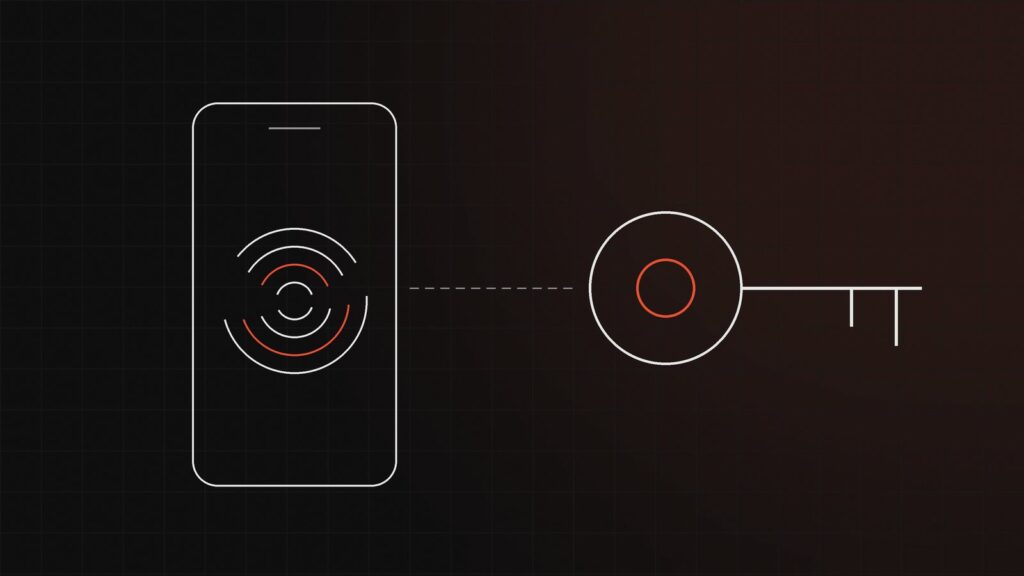
A passkey replaces the password with a secret digital key, stored on the device or in an encrypted keychain. It only works on the site where it was created and is unlocked with the device’s fingerprint, face recognition or PIN. A fake site gets nothing out of it: Microsoft considers passkeys “nearly impossible” to phish.
- Microsoft accepts passkeys bound to a device (the Authenticator app, a physical security key, often shaped like a USB stick) or synced passkeys (iCloud Keychain, Google’s password manager). Synced passkeys suit most users; for the accounts with the broadest rights, Microsoft recommends physical keys.
- Google lets users sign in with a passkey, without a password. On Google Workspace, its business offering, the administrator can allow this type of sign-in; otherwise, the passkey can serve as a second step. Google advises against SMS codes there, as they can be intercepted, and has announced mandatory 2-Step Verification, rolled out gradually, for administrators.
- Apple syncs passkeys through iCloud Keychain, which is end-to-end encrypted with keys that Apple says it does not know.
Microsoft 365: the planned end of SMS codes
Microsoft has published the retirement schedule for the SMS and voice calls that it provides for signing in to Microsoft 365 accounts:
- since September 1, 2026, passkeys have been the default method: anyone who verifies by SMS or voice call is prompted to create one, but by default can postpone the prompt indefinitely (the company can also defer this step until February 1, 2027);
- on February 1, 2027, the SMS and calls provided by Microsoft disappear for everyone except Global Administrators and external users;
- on July 1, 2027, the retirement extends to these users as well.
After these dates, a user who only has SMS or voice calls will have to create a passkey to sign in, with no exemption. The retirement also covers password reset by SMS. Where there is a genuine regulatory or operational need, a paid third-party provider will be able to supply SMS, available for selection from October 30, 2026 in the Microsoft Security Store.
Two-factor authentication for business: where to start
- Administrator accounts. List who holds administrative rights (Microsoft 365 or Google Workspace, hosting provider, domain name, firewall, business software) and shorten the list. Keep the administration account separate from the everyday work account, as Microsoft advises, and protect it with a physical key. Set up two emergency access accounts protected the same way.
- Email. Require two-factor authentication for everyone and block the legacy sign-in methods used by older email software, which make it possible to bypass it. Without a “Conditional Access” license (advanced sign-in rules), Microsoft’s “security defaults”, at no extra cost, require everyone to register and block these methods. Move SMS users to passkeys now.
- Remote access and sensitive tools. VPN (remote access to the company network), remote desktop, banking, accounting, payroll, customer management, invoicing: turn on two-factor authentication wherever it is available, with a passkey or an app rather than SMS.
- Remaining passwords. Deploy a team password manager, with a unique password for each service, at the lengths recommended by the CNIL.
- Losses, departures, settings. Write down the procedure to follow when a phone is lost or someone leaves, provide a physical key for anyone who cannot or does not want to use their personal phone, and regularly check the forwarding rules of sensitive mailboxes.
To pass on to your IT provider: Microsoft Entra ID passkeys, FIDO2 keys (highly privileged and emergency access accounts), blocking legacy authentication (IMAP, POP3, SMTP), security defaults, Microsoft Security Store.
A concrete example
Take, as an illustration, a 20-person SME on Microsoft 365: three Global Administrators, half the team verifying by SMS, a copier that sends its scans by email with a saved password. First, two dedicated, named administration accounts, protected by a physical key, plus two emergency access accounts. Next, switch the copier to a compatible sending method, then block the legacy sign-in methods. Then enroll everyone in passkeys, starting with management and the people who approve payments. Finally, retire SMS without waiting for February 2027.
Frequently asked questions
Should passwords still be changed every three months?
Not for ordinary accounts with strong passwords: the CNIL and ANSSI advise against it, because frequent changes make passwords predictable. Passwords for administration accounts should still be renewed regularly (ANSSI cites, for example, every one to three years), and any compromised password must be changed immediately.
What should we do if an employee loses their phone?
ANSSI recommends having a way to recover access and a procedure to deactivate the lost method; the CNIL requires that issuing a new method must not weaken security. Register two methods per person (phone and physical key) and designate who restores access, after what identity check.
Our email is not with Microsoft: does this apply to us?
Microsoft’s schedule only concerns its Entra ID accounts, such as Microsoft 365 accounts. The CNIL and ANSSI recommendations apply to all tools.
With its Secure offering, 411bit audits your access (administrator accounts, sign-in methods, email rules), draws up a plan for moving to passkeys and supports you through its implementation; the Run offering can then provide the follow-up. To review your situation, contact us: every request receives a reply within 24 business hours. See also: securing your IT without holding back growth.