PHP vulnerability: what to do to protect your website
The “PHP vulnerability” patched on October 21, 2026 covers two critical flaws, nicknamed “PHP2Shell” by security researchers. They can allow an attacker, without any username or password, to run their own commands on your website’s server, with the website’s permissions. According to PHP, any installation that runs a website or web application is affected.
Is your website or application built on WordPress, PrestaShop or another tool written in PHP? It remains exposed until PHP has been updated on the server, even if it is well designed.
What you need to know about this PHP vulnerability
Announced by PHP the day before for 4 p.m. (Paris time), the patches were released on October 21. According to PHP’s security advisory, in some configurations a single anonymous request was enough to demonstrate an attack, before the website itself even came into play. According to several security firms, details were circulating online before the patches came out.
CERT-FR, the alert service of ANSSI (the French national cybersecurity agency), has published an alert (in French). It considers all PHP versions from 5 to 8.1 affected, as well as versions 8.2 to 8.5 released before the patches. Since October 21, security firms have been reporting attack attempts, with findings that still differ on their scale. According to PHP, no workaround is complete: only the update protects you.
Why updating WordPress is not enough
The flaws are in PHP itself, the engine that runs your website, not in WordPress, PrestaShop or development tools. Updating plugins or your theme therefore fixes nothing: PHP must be replaced on the server, then restarted. Be wary of plugins presented as “PHP2Shell fixes”: since they run on PHP, they cannot repair it.
For one of the flaws, PHP’s advisory also reports a leak of information from the server’s memory. According to researchers, an attacker can retrieve passwords, data that keeps a user logged in, or access keys from it. A website with no visible damage may therefore have leaked sensitive information.
Who needs to act depends on your hosting:
- shared hosting (a shared server) or managed platform: your host, not you;
- dedicated or virtual server: you or your managed IT services provider;
- application running in “containers” (Docker, for example): whoever maintains it, by rebuilding it with a patched PHP.
Check whether your website is protected
Find the PHP version your website uses:
- WordPress: Tools, then Site Health, Info tab, Server section;
- PrestaShop: Advanced Parameters, then Information;
- Laravel, Symfony or custom-built: ask your developer for the version used by the web server, which is sometimes different from the command-line version.
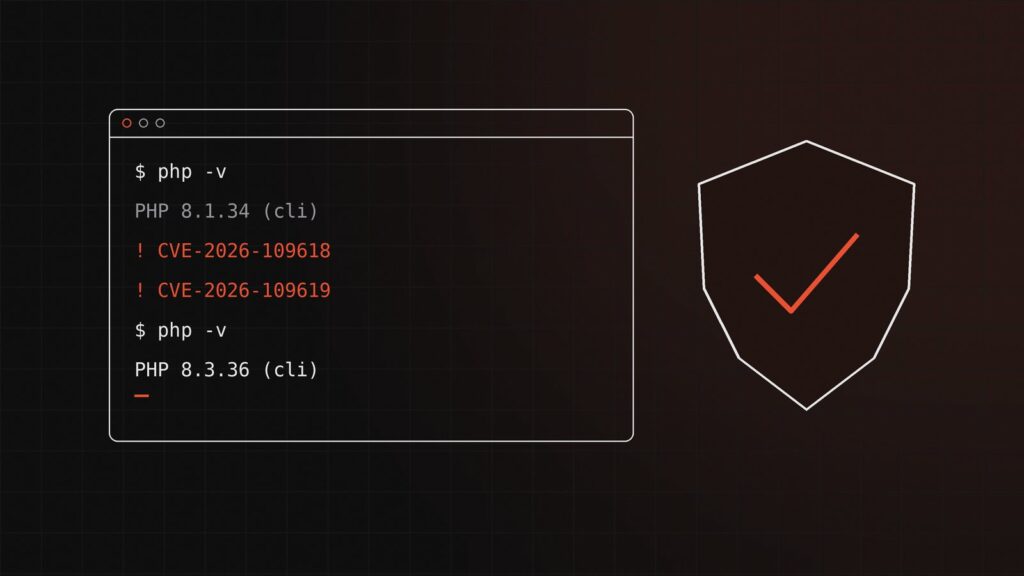
Version 8.5.12, 8.4.27, 8.3.36 or 8.2.35, or a newer version in the same series, means the patch is active. An older version is not necessarily vulnerable: PHP states that Linux distribution vendors and extended support providers received the patches in advance. And they can include a patch without changing the version number displayed.
If in doubt, ask your host for written confirmation: patches for both flaws applied, PHP restarted afterwards (otherwise the old version keeps running), and the date of the work.
If your website still runs on PHP 8.1 or 7.x
PHP 8.1 and earlier versions no longer receive official updates. PHP has nonetheless published minimal patches for 7.4, 8.0 and 8.1, for those who build PHP themselves from the source code. Three actions are needed:
- look for a patched version from your Linux distribution vendor or an extended support company, or have the patch published by PHP applied;
- apply, starting today, the two temporary measures cited by CERT-FR: disable file upload progress tracking, and filter these uploads with a web application firewall (a filter placed in front of the website);
- plan the move to a maintained version without delay.
These measures reduce the risk without eliminating it: CERT-FR has not validated them, and the first covers only one of the two flaws. This filtering also blocks legitimate file uploads and may disrupt some forms, so test it. For unsupported versions, CERT-FR recommends isolating the affected systems, then migrating. Aim for PHP 8.3 at a minimum, ideally 8.4 or 8.5: according to PHP’s official schedule, 8.2 will no longer receive security patches after December 31, 2026. Moving from PHP 7 to PHP 8 often requires adapting the code, which should be validated on a test copy.
How to tell whether your website has been hacked
Patching PHP does not tell you what may have happened before. Have your host or provider check, at a minimum:
- PHP files recently added or modified on the website: an attacker may have hidden a backdoor in them;
- new administrator accounts, on the website as well as on the server;
- unknown scheduled tasks and programs launched by PHP;
- in the logs, unusual file uploads followed by memory errors or repeated server errors, and unexplained PHP restarts.
None of these signs is proof on its own, and their absence guarantees nothing. If in doubt, change the credentials stored on the server: database, connections to other software, payment, email sending. Keep the logs before any cleanup, for analysis and a possible complaint. If personal data may have been accessed, the GDPR requires you to notify the CNIL (French data protection authority) no later than 72 hours after becoming aware of it, if the breach poses a risk to individuals.
What to send your host or provider
- CVE-2026-109618 and CVE-2026-109619, rated 9.2 out of 10 (CVSS 4.0); alert CERTFR-2026-ALE-014;
- patched versions: 8.5.12, 8.4.27, 8.3.36, 8.2.35, then restart of the PHP processes;
- highest risk with Apache and mod_php; attack also validated on PHP-FPM for one of the flaws;
- 8.1 and earlier: workarounds not qualified by CERT-FR, session.upload_progress.enabled set to Off (php.ini or PHP-FPM pool) then restart, and blocking at the WAF, or failing that monitoring, of multipart requests.
A concrete example
Take, as an illustration, a 20-person SME: a WordPress showcase website with a shared hosting provider, and a Laravel client portal on a dedicated server running PHP 8.1. The showcase website shows 8.3.36 in Site Health: the patch is active. The client portal is trickier, since there is no official patched version of 8.1. The same day, the provider disables upload progress tracking, filters file uploads where they are not needed and looks for a patched version from the Linux vendor. It then checks the logs and files and has the access keys renewed. The move to PHP 8.4, with the Laravel update it requires, is prepared on a test copy.
Frequently asked questions
My website is on shared hosting: what should I do?
You cannot update PHP yourself. You can, however, check the version displayed, ask your host for written confirmation and move off an old version (7.4 or 8.1) if your plan allows it.
Is a firewall enough to protect my website?
No. A web application firewall can block known attacks and buy time, but it only filters the traffic that passes through it and does not fix PHP.
Should I take my website offline in the meantime?
If the update is delayed and the website handles payments or sensitive data, cutting off access is reasonable, in the spirit of the isolation recommended by CERT-FR. The “maintenance mode” of WordPress or of an online store does not protect you: the attack happens before the website comes into play. The shutdown must therefore be done on the server or by the host.
On October 21, as soon as the patches were published, 411bit updated PHP on the servers of the clients for whom it provides managed IT services. To help you take stock, 411bit can check the PHP version of your websites and applications, apply the update or help you deal with your host, move an application still on PHP 8.1 or 7.x to a maintained version, and look for possible signs of a hack, with a response within 24 business hours: describe your situation to us. If your application was developed by another provider, the takeover of an industrial B2B platform illustrates the approach: a security audit first, then taking over the platform.